IPTV Subscription: How Plans, Screens and Renewals Work
An IPTV subscription is simple once you know its three settings: the length, the number of screens and the expiry date. This guide explains each one, with prices in euros.
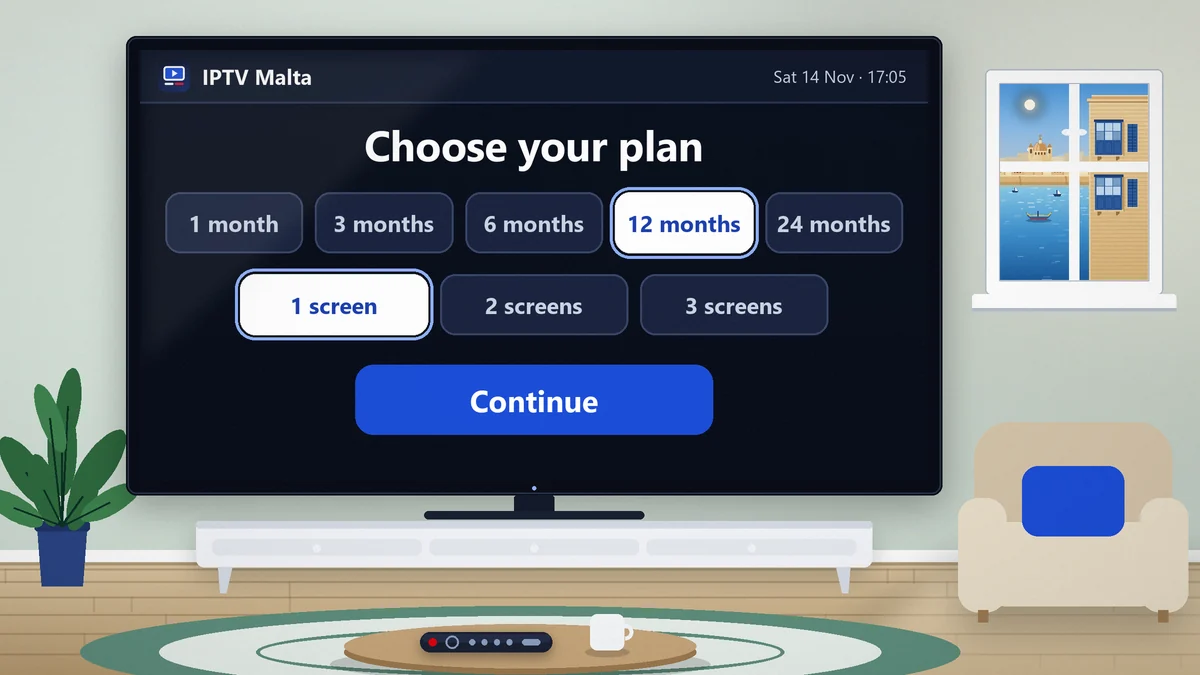
People hesitate over an IPTV subscription for one reason: nobody explains what they are buying. Is it an app, a box, a contract? How many televisions does it cover? What happens at the end? The answers are short, and they are the same for every serious offer.
This guide takes the subscription apart piece by piece: what it contains, how the length and the number of screens set the price, how payment works, what a renewal changes and what it does not. It ends with the questions to settle before you pay.
For the local picture, with Maltese, Italian and UK channels and the alternatives on the islands, read the IPTV subscription Malta guide. To see the service itself, the 24-hour trial is the fastest route.
Reply in English within minutes, 24 hours a day.
No contract, from €3.96 a month.
What you buy with an IPTV subscription
You buy access, for a fixed period, to a television service delivered over the internet. Nothing physical changes hands. No box is posted to you, no card is inserted into a decoder and no engineer is booked. What arrives is a set of login details, and those details are the subscription.
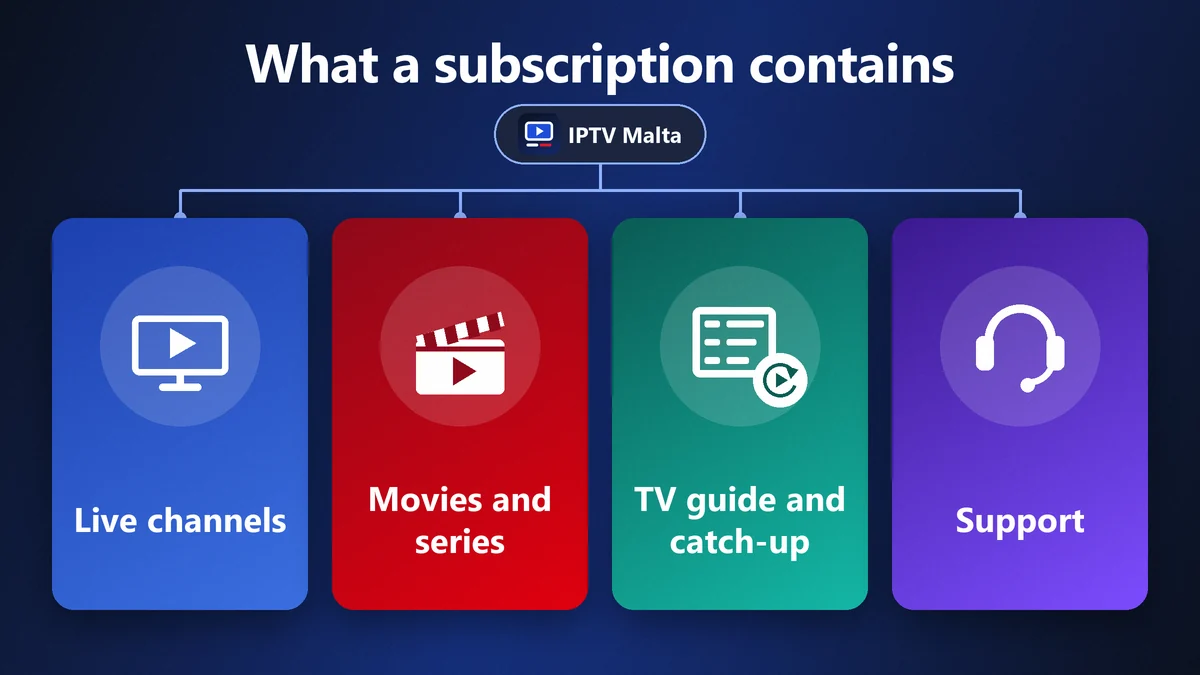
That access covers four things:
- Live channels: 34,000+ of them, sorted by country and by theme.
- A library on demand: 90,000+ movies and series, updated every day.
- The TV guide and catch-up: what is on now and tonight, and the ability to go back on live channels.
- Support: a person to write to when something does not work.
The app that displays all this is separate from the subscription. We supply iBO Player at no extra cost, but the same login details work in other players too. This is useful to know: if you change television, the subscription does not change, only the device it is installed on.
The three settings of every IPTV subscription
However an offer is presented, it comes down to three values. Read them in this order and any price list becomes easy to compare.
The length
How long the access lasts: 1, 3, 6, 12 or 24 months. It is chosen once, at the order, and it sets the expiry date.
The number of screens
How many devices can play at the same moment: 1, 2 or 3. It is not the number of devices you own or install the app on. This is the setting people most often get wrong, and it has its own section below.
The expiry date
The day the access stops. Nothing is taken from your account on that day and nothing is renewed without you. If you want to continue, you say so; if not, you do nothing.
Everything else, the channels, the library, the picture quality and the support, is identical from one plan to the next.
IPTV subscription prices: the full grid
Length and screens are the two axes of the price. Here is the complete grid in euros, with no activation fee to add.
| Length | 1 screen | 2 screens | 3 screens |
|---|---|---|---|
| 1 month | €14 | €25 | €29 |
| 3 months | €29 | €49 | €79 |
| 6 months | €38 | €69 | €98 |
| 12 months | €57 | €95 | €129 |
| 24 months | €95 | €179 | €249 |
Two things stand out. The monthly cost falls sharply with the length: one screen is €14 for a single month, but €4.75 a month over a year and €3.96 over two years. And a second screen costs far less than a second subscription: 12 months on two screens is €95, against €114 for two separate one-screen plans.
Switch between 1, 2 and 3 screens.
Choosing the length of your IPTV subscription
The right length depends less on the price than on what you already know about the service.
| Length | Cost per month (1 screen) | Suits |
|---|---|---|
| 1 month | €14.00 | A first full test, a short stay |
| 3 months | €9.67 | A season of sport, a summer let |
| 6 months | €6.33 | A work contract, a study term |
| 12 months | €4.75 | A settled household |
| 24 months | €3.96 | People who already know the service |
If you have never used the service
Start with a trial, then one month. A month covers every situation you will meet in a year: a weekday evening, a weekend of sport, a rainy Sunday with the whole family on the sofa.
If the month went well
Move to 12 months. It is the plan most subscribers settle on, because the saving is large and a year is easy to plan around.
If you are sure
The 24-month plan has the lowest monthly cost. It makes sense once you have a full year behind you, not before.
How many screens your IPTV subscription needs
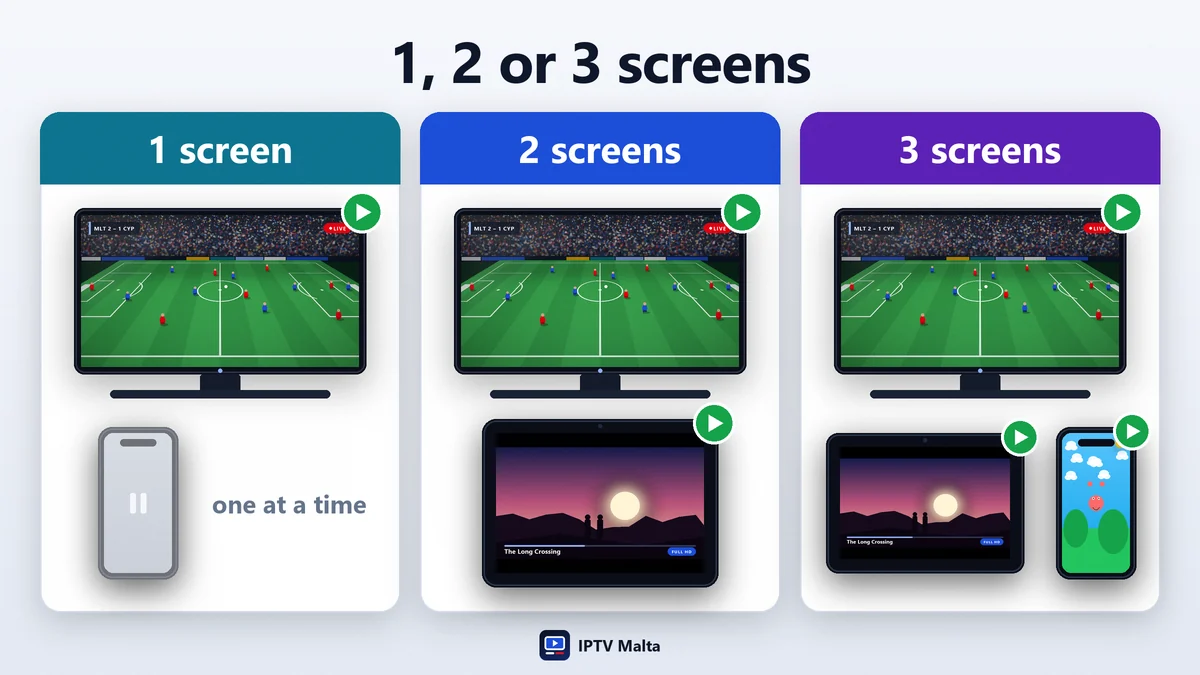
A screen, sometimes called a connection, is one device playing at one moment. You may install the app on five devices with a 1-screen plan. Only one of them can play at a time.
One screen
Right for a person living alone, a couple who watch together, or a household with one main television. If the bedroom TV is switched on while the living-room TV is playing, one of the two stops.
Two screens
Right for a family where two programmes run in parallel most evenings: football in one room, a series in another.
Three screens
Right for a larger household, for teenagers with tablets, or for people who also watch at a second address.
The practical test: count the screens that are on at the same time on a typical evening. Ignore the devices that are merely in the house. If the answer changes later, the plan can be changed at renewal.
Paying for an IPTV subscription
You pay once, for the whole period, before the access is switched on. There is no monthly debit and no card left on file.
| Method | When access starts |
|---|---|
| Visa or Mastercard | Immediately |
| PayPal | Immediately |
| Revolut | Immediately |
| Bank transfer | Within 2 to 3 hours |
| Cryptocurrency (USDT, BTC) | Within 2 to 3 hours |
Apple Pay, Google Pay and Wise are accepted as well. All prices are in euros, so there is no conversion to work out. Once the payment is confirmed, your login details are sent in the same conversation.
What is never added
No activation fee, no equipment rental, no deposit and no cancellation fee. The price in the grid is the price you pay.
Say which length and how many screens.
From order to first channel
The sequence is the same for a trial and for a paid plan.
- You choose a length and a number of screens, and say which device you will use.
- You install the app on that device. Each case is covered in the installation guide.
- You send the MAC address and device key shown by the app, or ask for a username and password if your player uses them.
- You receive your login details, usually within minutes.
- You restart the app: channels, TV guide and library load.
Install the app before you ask for the login details, so that no paid time is spent searching the store. From the first message to the first channel, allow about five minutes.
Renewing an IPTV subscription
Renewal is the part people worry about most, usually because of bad memories of other contracts. Here it works in your favour.
Nothing renews by itself
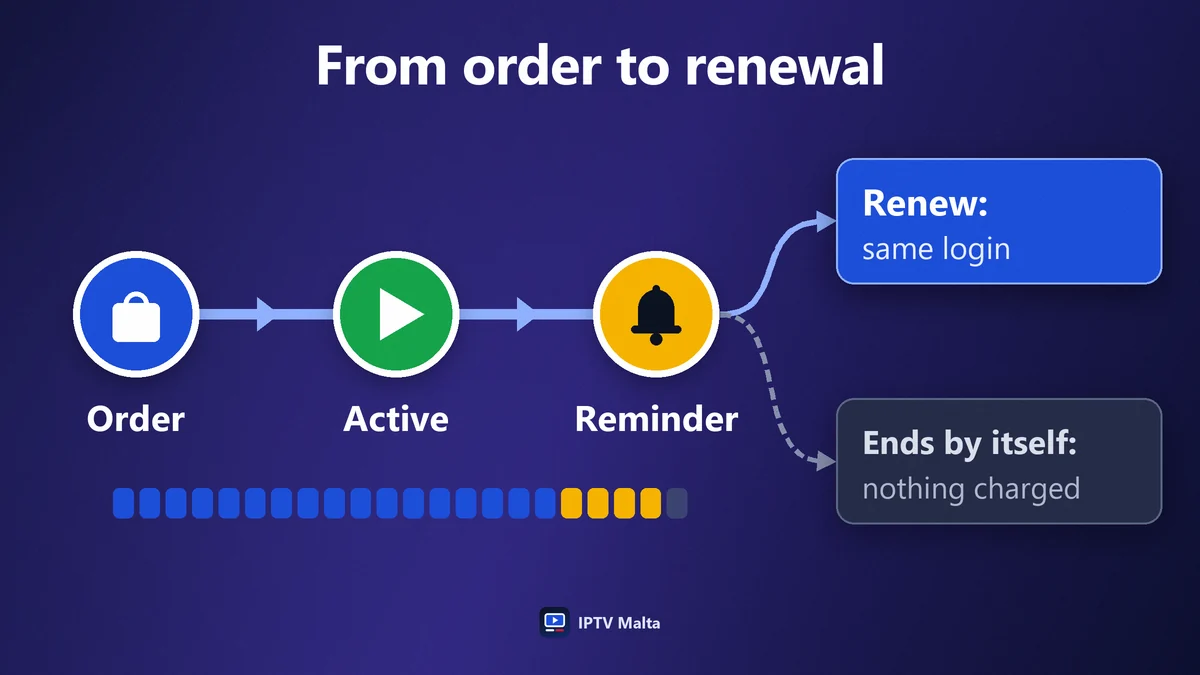
When the expiry date arrives, the access stops. No payment is taken. You are free to continue the next day, the next month or never. The date is given when the account is opened: a reminder in your phone a few days before is all the administration there is.
Your login details stay the same
A renewal extends the same account. Nothing has to be typed again on the television, and no device has to be set up a second time.
You can change everything at that moment
A different length, more screens, fewer screens: a renewal is the natural point to adjust the plan to how you really watch.
Changing device, plan or address
A subscription follows you rather than your equipment.
A new television or stick
Send the MAC address and device key of the new device and the account is moved to it. You do not buy anything again.
More screens
If one screen turns out to be too few, ask to move to a 2-screen or 3-screen plan. The simplest moment is the renewal.
A move, a holiday, a second home
The account is not tied to an address or to an internet provider. It works in Malta, in Gozo and abroad, on any connection fast enough. A Fire TV Stick in a suitcase is all the equipment a trip requires.
Try before you subscribe
A subscription you cannot test is a subscription to avoid. Two trials exist, and they answer different questions.
- The free 1-hour trial tells you whether your device and your connection are compatible, and what the picture looks like.
- The 24-hour trial for €2.95 lets you live with the service for an evening: your channels, a live match at peak time, the TV guide, a film. The €2.95 is deducted from your first subscription.
Use the trial in the evening. A service that is perfect at 15:00 tells you nothing about 21:00, and 21:00 is when you will be watching.
1 hour free or 24 hours for €2.95.
Refunds and guarantees
Every new subscription is covered by a 7-day refund. If the service does not suit you, contact support, let a technician try to solve the problem, and ask for the refund within seven days of the first purchase.
The guarantee applies to first subscriptions, not to renewals, and not to problems caused by the speed of your own connection, which is exactly what the trial lets you check beforehand. The full conditions are in the refund policy.
How to compare two IPTV subscriptions
Put the two offers side by side and compare the same things. Price comes last, because a cheap plan that fails on a match night costs more than it saves.
- Is there a trial? Without one, you are buying a promise.
- What does one screen mean? Check that both offers count screens the same way.
- Does it renew by itself? It should not.
- Who answers, and when? Send a question in the evening and time the reply.
- Are the refund terms written down? They should be on the site, not in a private message.
- Is the price complete? No activation fee, no box, no supplement for sport.
The method for judging the service itself is in the guide to the best IPTV, and the questions to ask the seller are in the guide to IPTV providers.
IPTV subscription or pay-TV contract: what differs
People who have only known a pay-TV contract expect the same rules. They are almost the opposite, and it is worth seeing them side by side before you order.
| Point | IPTV subscription | Pay-TV contract |
|---|---|---|
| Commitment | A period you choose, paid once | A term of 12 to 24 months |
| Payment | One payment, nothing afterwards | A monthly bill |
| End of the period | Stops by itself | Continues until you cancel |
| Equipment | Your own devices | A box supplied by the operator |
| Address | Works anywhere with internet | Tied to one home |
| Sport and cinema | Included | Sold as extra packs |
The practical consequence is freedom of movement. You can take one month, stop for the summer, come back in September and change the number of screens, without a letter, a penalty or a phone call to a retention department.
Three households, three IPTV subscriptions
Real situations make the choice clearer than a price list.
A couple in a flat
One television in the living room, sometimes a tablet in bed, never both at once. One screen is enough. After a trial and a first month, the 12-month plan at €57 covers the year for less than a single month of many pay-TV packages.
A family of four
Football in the living room on Saturday evening while a series plays in a bedroom. Two things run together several times a week, so two screens: €95 for 12 months, which is €7.92 a month for the whole household.
A home in Malta and a farmhouse in Gozo
The family is sometimes split between the two addresses, and the children watch on tablets. Three screens for €129 a year replace two boxes and two contracts, and a Fire TV Stick left in the second home is the only equipment needed there.
Looking after your login details
Your subscription is your login details, so they deserve a little care. Three habits are enough.
- Keep the original message. Pin or star the conversation in which you received them: it is the quickest way to find them a year later.
- Copy and paste rather than retype. One wrong character is the commonest cause of a failed first login.
- Keep them in the household. A screen started elsewhere counts against your plan and can stop your own picture.
If you ever lose them, write to support with your name or the device you use: the account is found and the details are sent again.
Common mistakes with an IPTV subscription
Four errors account for most regrets, and each is avoided in a minute.
Taking one screen for a busy household
The saving is a few euros a month and the cost is an argument every evening. Count the screens that play together.
Buying the longest plan first
Two years is the best price and the worst first purchase. Test, then a month or a year, then decide.
Sharing the login details
Each person you give them to is a screen that can start while you are watching. On a 1-screen plan, that stops your own picture, and shared accounts can be closed under the terms of service.
Letting the subscription lapse before a big evening
Renew a few days early. An account that expires at kick-off is restored quickly, but not before the first goal.
What people ask before their first IPTV subscription
The same four questions come up in almost every first conversation.
Do I need a new television?
No. A recent Smart TV runs the app directly. An older set works once a Fire TV Stick or an Android box is plugged into an HDMI port.
Will it slow down my internet?
One Full HD screen uses about 15 Mbps while it plays and nothing when it is off. On fibre or cable broadband that is a small part of the line.
Can I pause the subscription?
A period runs from start to end without interruption. If you are away for part of the year, take shorter plans and leave a gap between them: nothing obliges you to renew at once.
What if I change internet provider or move house?
Nothing changes. The subscription belongs to your login, not to a line or an address.
The IPTV subscription checklist
Before you pay, be able to answer these seven questions:
- How long do I want access for?
- How many screens play at the same time in my home?
- Which device will I install it on first?
- Have I tested the service in the evening?
- Do I know the total price, with nothing to add?
- Do I know what happens on the expiry date?
- Do I know how to reach support?
If the answers are clear, the rest takes five minutes. How the picture travels from the server to your television is explained in the guide to the IPTV stream, and what a good provider does after the sale is in the guide to the IPTV service.
Frequently asked questions
- What is an IPTV subscription?
- It is paid access, for a fixed period, to television delivered over the internet: live channels, a library of movies and series, a TV guide and support. You receive login details to enter in an app on your TV, stick, phone or computer.
- How much does an IPTV subscription cost?
- For one screen: €14 for 1 month, €29 for 3 months, €38 for 6 months, €57 for 12 months and €95 for 24 months. There is no activation fee and nothing else to add.
- How many devices can I use with one IPTV subscription?
- You can install the app on as many devices as you like. The plan sets how many play at the same time: 1, 2 or 3 screens.
- Does an IPTV subscription renew automatically?
- No. Access stops on the expiry date and nothing is charged. If you choose to renew, your login details stay the same and no device has to be set up again.
- Can I try an IPTV subscription before paying?
- Yes. A free 1-hour trial is available, as well as a 24-hour trial for €2.95, deducted from your first subscription. Both are on the free trial page.
- Can I get a refund on an IPTV subscription?
- Yes, on a new subscription and within 7 days of the first purchase, under the conditions of the refund policy. Renewals are not covered.